

Build your MSP’s 2027 sales and marketing budget by setting an affordable annual target, accounting for existing payroll and commitments, and allocating the remaining funds across systems and marketing programs. Track approved vendor contributions separately and schedule regular reviews of spending and results.
The worksheet below helps you calculate your annual allocation, average monthly budget, and the amount your business needs to fund after confirmed vendor contributions. It is designed for established MSPs planning their next stage of growth.
This is the final article in our seven-part series on MSP sales and marketing budgeting for 2027. Use it to bring the earlier articles together into one working plan.
Step 1: Set a provisional annual spending target
Use a percentage of revenue to establish a starting figure, then check whether it fits your costs, growth goals, and cash flow. The planning ranges used in this series are:
- Maintenance mode: 2–5% of revenue
- Growth mode: 8–10% of revenue
- Active expansion: 10–20% of revenue
These are planning ranges, not requirements or independently verified industry benchmarks. Use your trailing-12-month revenue as the baseline and explain why the percentage you select suits your business.
Revenue × selected percentage = provisional annual sales and marketing budget
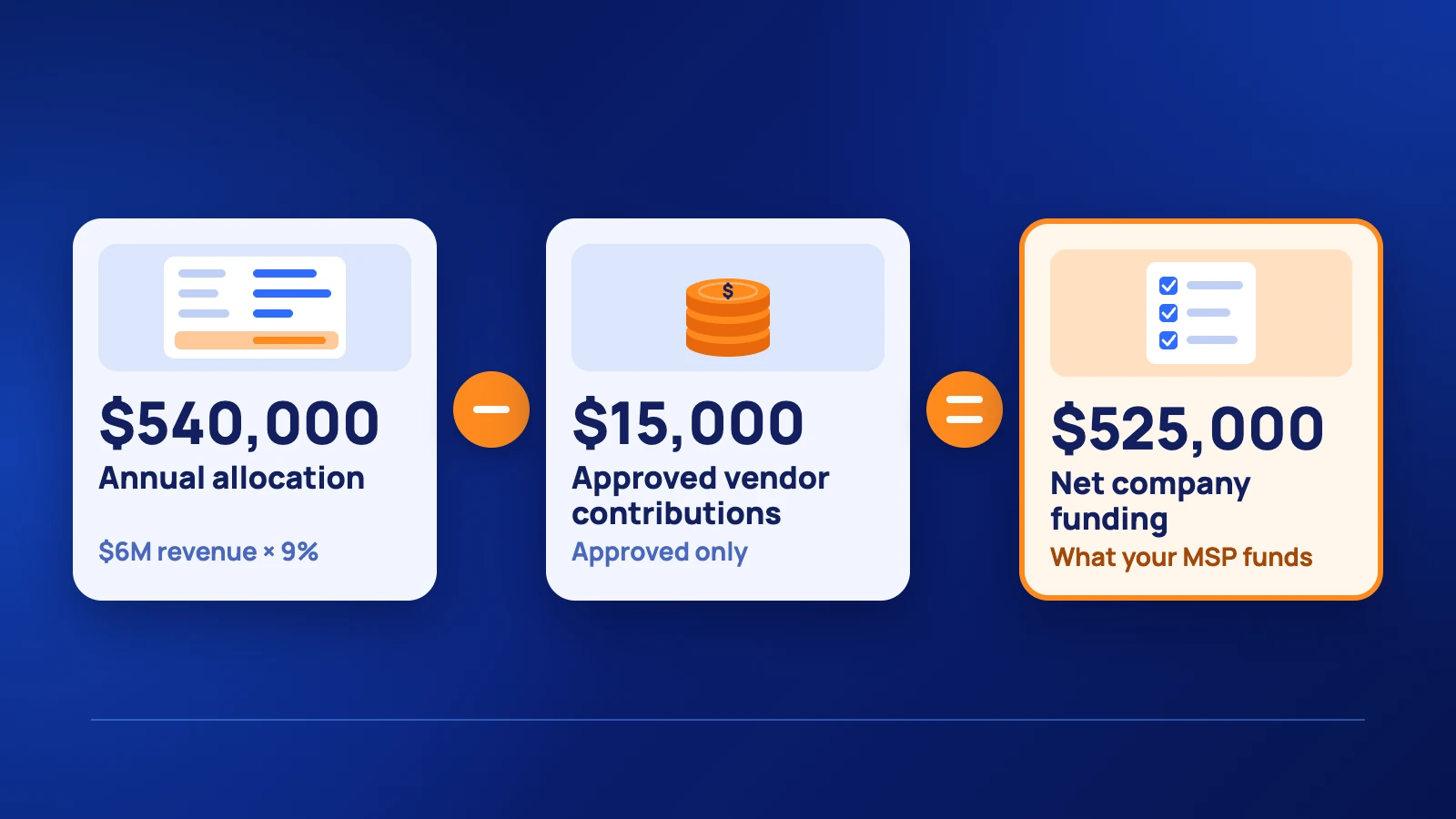
A $6 million MSP choosing 9%, for example, starts with a $540,000 annual allocation. That figure covers the full sales and marketing function, including payroll. It is not all available for ads or agency services, and it is not necessarily additional spending.
Before approving the target, check the forecast effect on profitability and monthly cash availability. Compare proposed spending with costs already included in your forecasts so you assess the incremental change correctly. Consider how reliably recurring revenue supports the commitment.
Step 2: Count existing commitments before allocating new funds
Enter the costs you already carry before deciding what to add. Include sales and marketing payroll, agency agreements, software renewals, and projects committed in late 2026 that require payments in 2027.
Use the categories below to keep the complete cost of growth visible. They follow the distinction between payroll, systems, and programs in our guide to website and martech costs for MSPs.
| Category | What to include |
|---|---|
| Sales and marketing payroll | Relevant salaries, commissions, benefits, and employer costs |
| Sales and marketing systems | Website hosting and maintenance, CRM, automation, call tracking, and proposal software |
| Digital marketing programs | Paid media, SEO/AEO work, content production, and agency management |
| Offline and local programs | Events, sponsorships, memberships, materials, and external event costs |
| Sales enablement and training | Sales training and collateral not included elsewhere |
| Unallocated reserve | Funds held for testing, adjustments, or unexpected opportunities |
Count each expense once. Keep CRM subscriptions under systems and employee costs under payroll, including time spent supporting events. If an agency package includes software or content, do not add the same cost again elsewhere. Assign shared costs consistently and document the approach.
Build each category from actual commitments and proposed work. Then calculate its share of the total. If the plan exceeds your provisional target, revise its scope or timing, or reassess the target against what the business can afford.
Existing commitments + proposed changes + reserve = final annual allocation
Step 3: Separate approved MDF from your own funding
Deduct approved vendor contributions from your company’s funding requirement and track unapproved MDF separately. Your gross allocation still shows the full cost of the plan, including the portion a vendor will fund.
Final annual allocation − approved vendor contributions = net company funding requirement
For example, a $540,000 allocation with $15,000 in approved vendor contributions leaves $525,000 for the MSP to fund, assuming the contribution is received as planned. Confirm eligible expenses, claim deadlines, and expected payment dates using the questions in our MDF guide for MSPs.
If a vendor reimburses you after an activity, your business may need to cover the full payment upfront. Record that timing in the cash plan. Keep pending applications outside the base funding calculation until approved, and meet any remaining claim conditions.
Step 4: Schedule spending and define the expected results
Map payments to the months they fall due and give each major investment an owner and an outcome. Dividing the annual budget by 12 provides a useful monthly average, but annual renewals, events, and website projects can create uneven cash needs.
For acquisition programs, set targets for qualified opportunities and new clients using your own sales conversion history. For systems or website work, specify the improvement you expect, such as reliable lead attribution or a completed landing page for a priority service.
Check that the funded activities can plausibly support your growth goal. Our guide to the cost of SEO, AEO, and PPC for MSPs can inform the digital plan; our offline marketing budget guide covers events and local activity. Treat cost estimates and lead targets as assumptions to validate.
Complete your 2027 budget worksheet
Fill in the summary, then list individual expenses under the six categories above. Include existing spending and proposed changes. The reserve is an allocation you can release later, not an expense you must incur.
| Budget input or calculation | Your amount |
|---|---|
| Trailing-12-month revenue | $_______ |
| Selected planning percentage | _______% |
| Provisional annual target — revenue × percentage | $_______ |
| Existing commitments for 2027 | $_______ |
| Net proposed additions or reductions | +$_______ / −$_______ |
| Unallocated reserve | $_______ |
| Final annual allocation — commitments + net changes + reserve | $_______ |
| Approved vendor contributions | $_______ |
| Net company funding — final allocation less approved contributions | $_______ |
| Average monthly allocation — final annual allocation ÷ 12 | $_______ |
For each expense, complete the following fields. Duplicate rows as needed and record vendor funding against the relevant expense separately.
| Expense and category | Annual cost | Payment timing | Owner | Outcome and review date |
|---|---|---|---|---|
| Enter expense | $_______ | Enter month or frequency | Enter name | Enter target and date |
| Enter expense | $_______ | Enter month or frequency | Enter name | Enter target and date |
| Enter expense | $_______ | Enter month or frequency | Enter name | Enter target and date |
Worked example for an MSP with 6 million dollars in revenue
At a selected rate of 9%, a $6 million MSP has a $540,000 annual allocation, equivalent to $45,000 per month. The following split illustrates a complete plan. These shares are assumptions for this example, not recommended industry benchmarks.
| Category | Share | Annual allocation | Monthly equivalent |
|---|---|---|---|
| Sales and marketing payroll | 40% | $216,000 | $18,000 |
| Sales and marketing systems | 12% | $64,800 | $5,400 |
| Digital marketing programs | 30% | $162,000 | $13,500 |
| Offline and local programs | 8% | $43,200 | $3,600 |
| Sales enablement and training | 3% | $16,200 | $1,350 |
| Unallocated reserve | 7% | $37,800 | $3,150 |
| Total | 100% | $540,000 | $45,000 |
The digital allocation is $13,500 per month within the wider $45,000 budget. Whether it supports the MSP’s acquisition goals depends on its market, campaign performance, and sales conversion rates. Its staffing costs and existing commitments may also require a different split.
Monthly equivalents are planning averages. Schedule actual payments separately, and leave the reserve uncommitted until an approved use arises.
Step 5 Review monthly and make a year end decision in October
Review actual spending monthly, assess performance quarterly, and schedule a dedicated year-end allocation review in October 2027. Compare spending with the plan and investigate whether programs are generating suitable opportunities and progressing toward their intended outcomes.
At the October review, identify unspent funds, remaining commitments, and work that could strengthen the following year’s plan. Apply the decision criteria in our guide to MSP year-end marketing budgets and PPC before increasing ad spend.
Record the budget owner and review dates in the worksheet now. Each major change should have a stated reason, an owner, and a date for checking its results.
Finalize the budget and assign ownership
Your budget is ready for approval when every major commitment is accounted for, funding and payment dates are clear, and someone owns the expected result. Confirm the annual total with your finance team and share the relevant allocations with the people responsible for delivering them.
If your MSP is planning to invest 5,000–10,000+ per month in marketing, Pronto’s MSP marketing team can help assess your digital priorities and build a plan around your market and acquisition goals.