
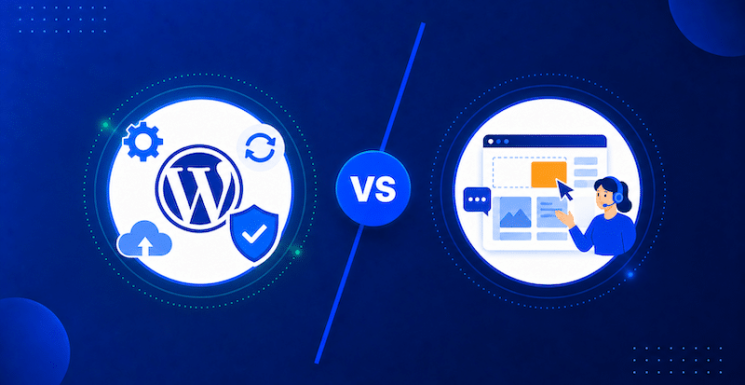
WordPress maintenance is proactive, scheduled technical care for updates, backups, security, hosting and monitoring. WordPress support is on-demand human assistance when something needs to be fixed, changed or improved. At Pronto, Website Support extends that assistance to front-end work such as content updates, design changes, new pages and development.
What is WordPress Maintenance?
WordPress maintenance consists of proactive technical tasks required to keep a website secure, functional, and online. Defined as technical support, this backend service covers core updates, plugin and theme management, continuous security monitoring, automated daily backups, and server hosting. It serves as essential preventative care that prevents site crashes and vulnerabilities.
Behind every successful website is a web of background technology that requires constant upkeep to remain fast and secure. The open-source architecture of WordPress means core software developers, theme designers, and plugin creators frequently publish patches to eliminate security vulnerabilities, introduce new features, and maintain compatibility with updated web standards. When these updates are neglected, websites gradually accumulate technical debt, leading to broken layout elements, database slowness, software conflicts, and severe security risks.
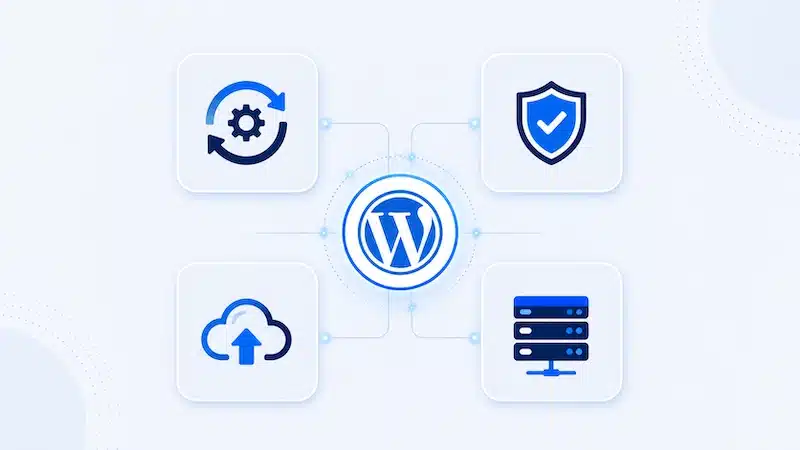
Effective maintenance functions much like regular maintenance for an automobile. Routine inspections prevent costly breakdowns before they happen. In a web environment, this proactive approach includes routine updates to WordPress core files, plugins, and active themes, accompanied by visual checks to ensure updates do not cause site errors. It also involves automated daily backups stored offsite so that site data can be restored instantly if an error occurs.
Security management forms another critical layer of technical upkeep. Continuous server-side monitoring, web application firewalls, malware scanning, and automated brute-force protection actively deflect malicious attacks. Without this technical foundation, business owners face higher risks of cyberattacks, site downtime, lost sales leads, and damage to their brand reputation.
The Value of Enterprise-Grade Hosting
Enterprise-grade hosting provides the foundational infrastructure necessary for optimal site speed, uptime, and server-level security. While retail managed hosting of this caliber typically costs between $500 and $620 per month, Pronto includes enterprise-grade hosting within its $99/mo full-service management package, giving SMBs high-performance infrastructure at a fraction of retail market costs.
Server hardware and network architecture directly influence how fast a website renders and how resilient it remains under heavy web traffic. Low-cost shared hosting packages usually bundle hundreds of websites onto a single server with shared memory and processing power, creating frequent performance bottlenecks and security vulnerabilities. If an adjacent website on a shared server experiences a traffic spike or malware infection, every site on that server suffers.
Enterprise-grade managed hosting isolates site resources within dedicated containerized environments, utilizing built-in Content Delivery Networks (CDNs), advanced server-side caching, and hardware-level threat mitigation. Purchasing this level of managed cloud hosting directly from tier-one providers represents a substantial investment for small and medium-sized businesses. Within provider catalogs, standard multi-tenant hosting scales up through plans like “Scale,” whereas dedicated enterprise-level architecture begins at higher-tier “Core Hosting” product lines.
| Managed Hosting Provider / Tier | Baseline Retail | Core Features & Architecture Level |
|---|---|---|
| WP Engine Scale (Multi-Tenant Shared) |
$276/mo | 30 sites, 400,000 monthly visits, 50 GB storage, shared cloud infrastructure |
| WP Engine Core Hosting (Isolated Enterprise) |
$400/mo to $532/mo | Dedicated isolated container architecture, 99.99% SLA, 1-on-1 onboarding |
| WordPress VIP (Custom Enterprise) |
Custom enterprise pricing; historically advertised from approximately $25,000/year | Dedicated global CDN, enterprise SLA, custom high-scale environment |
| Pronto Marketing Technical Support (Powered by Kinsta) |
$99/mo ($1,069 when paid annually) |
Enterprise hosting environment, 100% private in an isolated software container, core/plugin updates, 24/7 security, backups, full support |
Pricing checked September 2026
By including enterprise-grade hosting valued at $500–$620/mo within a $99/mo unified service model, Pronto eliminates the financial trade-off between performance and budget. SMBs gain faster page speeds, improved search engine performance, and corporate-level security without managing separate server accounts.
What is WordPress Support?
WordPress support involves reactive and strategic assistance for the visible, front-end elements of a website. Defined as website support, this service handles tasks like publishing new content, updating page layouts, refining styling, and implementing user experience improvements. While maintenance keeps the site secure and operational, support ensures it evolves alongside business goals.
While technical maintenance keeps the site functional behind the scenes, website support directly impacts customer experience and brand growth. A business is constantly changing, launching new services, updating team bios, publishing fresh blog content, or running seasonal promotions. Keeping a website aligned with these operational changes requires consistent hands-on execution.

Without structured support, business owners often attempt to make visual edits themselves using unfamiliar content editors or complex page builders. This DIY approach frequently leads to broken page layouts, inconsistent formatting, misaligned mobile screens, and wasted leadership hours. Alternatively, hiring freelance developers for small tasks can lead to high hourly fees, slow response times, and inconsistent work quality.
Professional website support addresses these challenges by acting as a dedicated web team. It covers front-end edits such as formatting new landing pages, swapping hero banners, adjusting CSS styles, configuring web forms, and refining page design for higher conversions. By handing these tasks over to experienced professionals, business owners ensure their digital storefront stays accurate, visually appealing, and optimized for sales leads.
Why SMBs Need a Unified WordPress Maintenance & Support Solution
Fragmenting website management across multiple vendors creates communication gaps, hidden costs, and technical friction. A unified solution integrates under-the-hood maintenance with strategic front-end support under one dedicated team. This single-partner approach eliminates vendor finger-pointing while ensuring that hosting, security protocols, and visual updates operate seamlessly together to drive business growth.
A common challenge for growing businesses is vendor fragmentation, contracting one vendor for web hosting, another for maintenance, and a third for design edits. When issues arise, this split model frequently results in delayed resolution and vendor finger-pointing. For example, if a contact form stops sending emails, the web designer may blame the hosting provider’s server settings, while the hosting provider blames an unpatched plugin, leaving the business owner stuck in the middle.
| Service Dimension | Technical Support (WordPress Maintenance) |
Website Support (WordPress Support) |
|---|---|---|
| Primary Focus | Proactive and scheduled work for backend infrastructure | On-demand assistance, especially for frontend design & development tasks |
| Primary Work Environment | Server, database, core files, security layer | Visual theme layer, page builders, copy, graphics |
| Operational Goal | Maximize uptime, speed, and threat prevention | Expand brand reach, update messaging, drive leads |
| Key Activities | Plugin patches, malware scans, automated backups | Landing page builds, layout adjustments, copy edits |
| Primary Value | Technical peace of mind and operational uptime | Marketing flexibility and conversion growth |
A unified management solution removes these operational barriers by combining infrastructure, backend upkeep, and creative edits under a single service model. With a single point of accountability, issues are diagnosed and resolved quickly. The team managing hosting and security is the same team implementing front-end edits, ensuring every update is tested, secure, and optimized for performance.
Do You Need WordPress Maintenance, Support, or Both?
The right level of WordPress website care depends on whether your priority is keeping the site technically healthy, making ongoing improvements, or both. For most small and medium-sized businesses that rely on their website for leads and customer communication, combining maintenance and support provides the most complete coverage.
Do I need WordPress maintenance if my website is working fine?
Yes. WordPress maintenance is preventative rather than something you only need after a problem appears. Regular updates, backups, security monitoring, and hosting management help reduce the risk of plugin conflicts, security vulnerabilities, performance problems, and unexpected downtime.
A website can appear to work normally while outdated software or unmonitored technical issues accumulate in the background.
Do I need WordPress support as well as maintenance?
You need WordPress support if your website regularly requires changes beyond routine technical upkeep.
That might include updating service pages, publishing new content, adjusting layouts, building landing pages, changing forms, improving mobile usability, or making design and development changes as your business evolves.
Maintenance keeps the existing website healthy. Support gives you access to people who can change and improve it.
Can I use WordPress maintenance without website support?
Yes. A maintenance-only service can be sufficient for a relatively static website that rarely needs content, design, or functionality changes.
However, businesses that actively use their website for marketing often need support as well. Without it, even simple updates may fall back on internal employees, freelancers, or separate development vendors.
Does managed WordPress hosting replace maintenance?
No. Managed hosting can handle important infrastructure tasks such as server performance, backups, security controls, and uptime monitoring, but it does not necessarily manage everything happening inside the WordPress installation.
Plugins, themes, WordPress core files, compatibility issues, visual checks, and troubleshooting still require ongoing attention. The exact division of responsibility varies by hosting provider, which is why businesses should check what their hosting and maintenance plans actually include.
Should an SMB use separate companies for hosting, maintenance, and website support?
It can, but using multiple providers creates additional coordination whenever a problem crosses technical boundaries.
For example, a broken form could be caused by a plugin, a server configuration, custom code, or a front-end setting. When hosting, maintenance, and development are managed separately, diagnosing the issue can require several vendors.
A unified WordPress management model gives the business one team responsible for the technical foundation as well as ongoing website changes.
What is the simplest way to decide what level of WordPress support you need?
Use the following rule of thumb:
- Choose maintenance if your primary goal is keeping an existing WordPress site secure, updated, backed up, and available.
- Add website support if your team also needs regular content, design, development, or conversion-focused changes.
- Choose a unified service if the website is an important marketing or lead-generation asset and you want one team accountable for both technical upkeep and ongoing improvements.
For many growing SMBs, the third option removes the most operational friction because website maintenance and website improvement are handled together rather than as separate projects.
Maximizing Business Value Through Unified WordPress Website Care
Combining technical maintenance and website support transforms a website from an operational burden into a reliable revenue driver. By leveraging $99/mo enterprise-grade hosting and full-service execution, SMBs secure high-end performance, robust security, and agile marketing capabilities. Business owners can schedule a search strategy consultation or request an audit to unlock their site’s full potential.
A business website should be an active digital asset that consistently generates new sales leads and builds trust with prospective clients. Relying exclusively on maintenance preserves security but risks leaving a site outdated and uncompetitive. Conversely, focusing solely on front-end content edits without routine maintenance leaves a site vulnerable to server crashes, performance lag, and security threats.
Unifying enterprise-grade hosting, proactive maintenance, and strategic support provides small and medium-sized businesses with a complete web management foundation. Organizations can maintain rapid page speeds, protect customer data, and update their online messaging effortlessly, all while controlling overhead costs. To discover how unified management can strengthen your digital presence and streamline site operations, request a complimentary website audit or speak with a website and search strategy expert today.