
On the surface, your website is doing everything it should. Pages load, images display, and contact forms work. Then someone on your team, or maybe a developer you just hired, points out that the page builder powering your entire site hasn’t received an update in years. Perhaps you see it yourself: a notice on WordPress that reads, “This plugin has been closed and is no longer available for download.”
That’s an unsettling moment, especially when the site appears to be functioning perfectly.
The challenge is figuring out how to tell whether your page builder has actually been abandoned, why you can’t just switch it off, what your real options are, and what a zero-downtime migration actually looks like. We’ll walk through all of it using an actual project we completed: a Wisconsin-based AV and IT solutions provider whose entire site was built on a builder that had been closed since 2022.
How an Outdated Page Builder Quietly Becomes a Liability
A discontinued page builder isn’t always obvious. “Discontinued” typically means one or more of the following: no updates being released, no security patches, and in many cases, the plugin has been removed from the WordPress directory entirely.
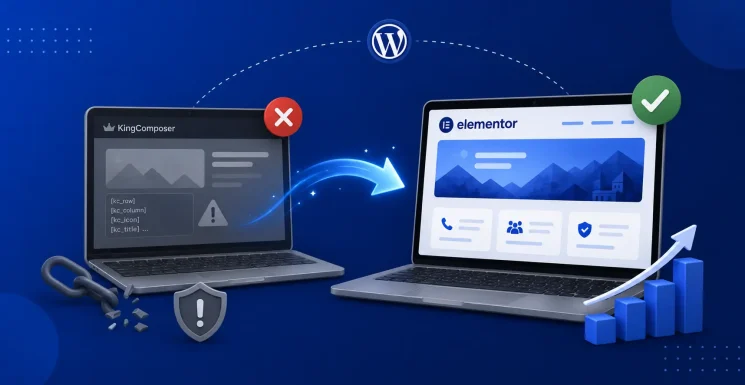
KingComposer is a clear example. On February 2, 2022, WordPress closed the plugin listing with the reason: “Security Issue.” Final version: 2.9.6. Last tested against: WordPress 5.4.19.
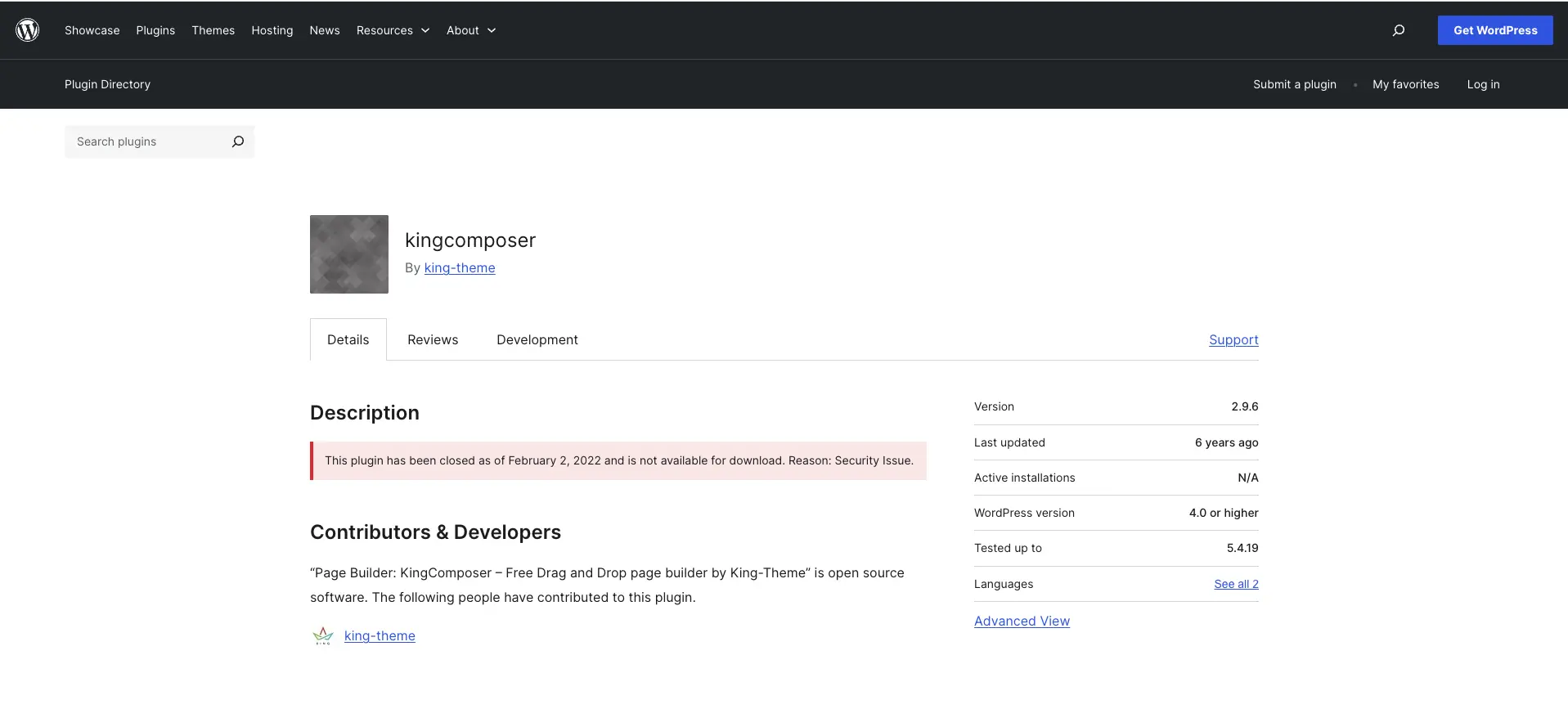
WordPress core is now multiple major versions beyond that, and PHP has continued advancing alongside it.
But sites running KingComposer didn’t crash on February 3rd — they kept loading and pages kept rendering. To anyone without visibility into the plugin layer, nothing appeared wrong at all. And that’s exactly the trap.
An abandoned page builder creates three compounding risks over time:
- Security: KingComposer has a documented public vulnerability history — XSS (cross-site scripting) and arbitrary file upload issues, recorded on WPScan. With no maintainer left to release patches, any newly discovered vulnerability stays open indefinitely.
- Compatibility: Every WordPress core update and every PHP version upgrade increases the probability of layout breakage, broken functionality, or a white screen. The gap between what the builder was built for and what your server is running widens with every update you install.
- Support: When something does break, there is no vendor to contact. There are no release notes to check. And there are progressively fewer developers who know the tool well enough to work in it.
An abandoned builder isn’t a “works fine for now” situation. It’s a countdown with an unknown end date.
The Trap: You Can’t Just Deactivate a Page Builder Plugin
When you discover your page builder has been abandoned, the obvious next step may seem to be deactivating it and installing a supported alternative. That’s the right destination, but it’s not a switch you can flip.
Page builders store your content and layouts using their own markup and shortcodes, which are stored directly in the database. When you deactivate the builder, WordPress no longer knows how to interpret that markup. What were clean, structured pages become walls of raw shortcode text and broken layout fragments. In practice, deactivating an active page builder typically takes a working site to an unusable one in seconds.
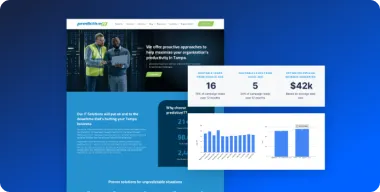
This is exactly what we were dealing with when a Wisconsin-based AV and IT solutions provider came to us through our Dedicated Support service. Their entire site — every service page, every inner page, the blog — had been built in KingComposer. Deactivating it would have caused layout and functionality failures across every page of the live site.
Another tempting workaround is to run both builders side by side indefinitely, but that approach doesn’t hold up either. Two active page builders create styling conflicts and compatibility friction. Every future WordPress or plugin update becomes harder to test and riskier to install.
The only clean path is migration.
Your Realistic Options
Before committing to a plan, it helps to understand the full range of choices:
| Option | What it means | The real cost |
|---|---|---|
| Do nothing | Keep running the abandoned builder indefinitely | Free today; compounding security and compatibility risk over time |
| b>Patch around it | Hire developers to maintain an abandoned tool | Ongoing cost; the underlying risk never goes away |
| Rebuild page-by-page in a supported builder | Recreate layouts and content in a maintained builder such as Elementor | Time and project cost upfront; risk fully resolved |
| Full redesign | Fold the migration into a broader site overhaul | Higher investment; the right choice if the site was due for a refresh anyway |
For most SMB sites, especially those where the design and content are solid and don’t need a visual overhaul, rebuilding page by page in a supported builder is the right call. It preserves what’s working, removes the dependency, and leaves the site to a supported foundation.
Elementor is the most common destination for this kind of migration: it is actively maintained, has a large developer ecosystem, is well-documented, and is the builder most WordPress developers know well. If you’re coming from WPBakery, Divi, or older builders from that era, the same logic applies and the process looks nearly identical.
What a Safe Migration to Elementor Actually Looks Like
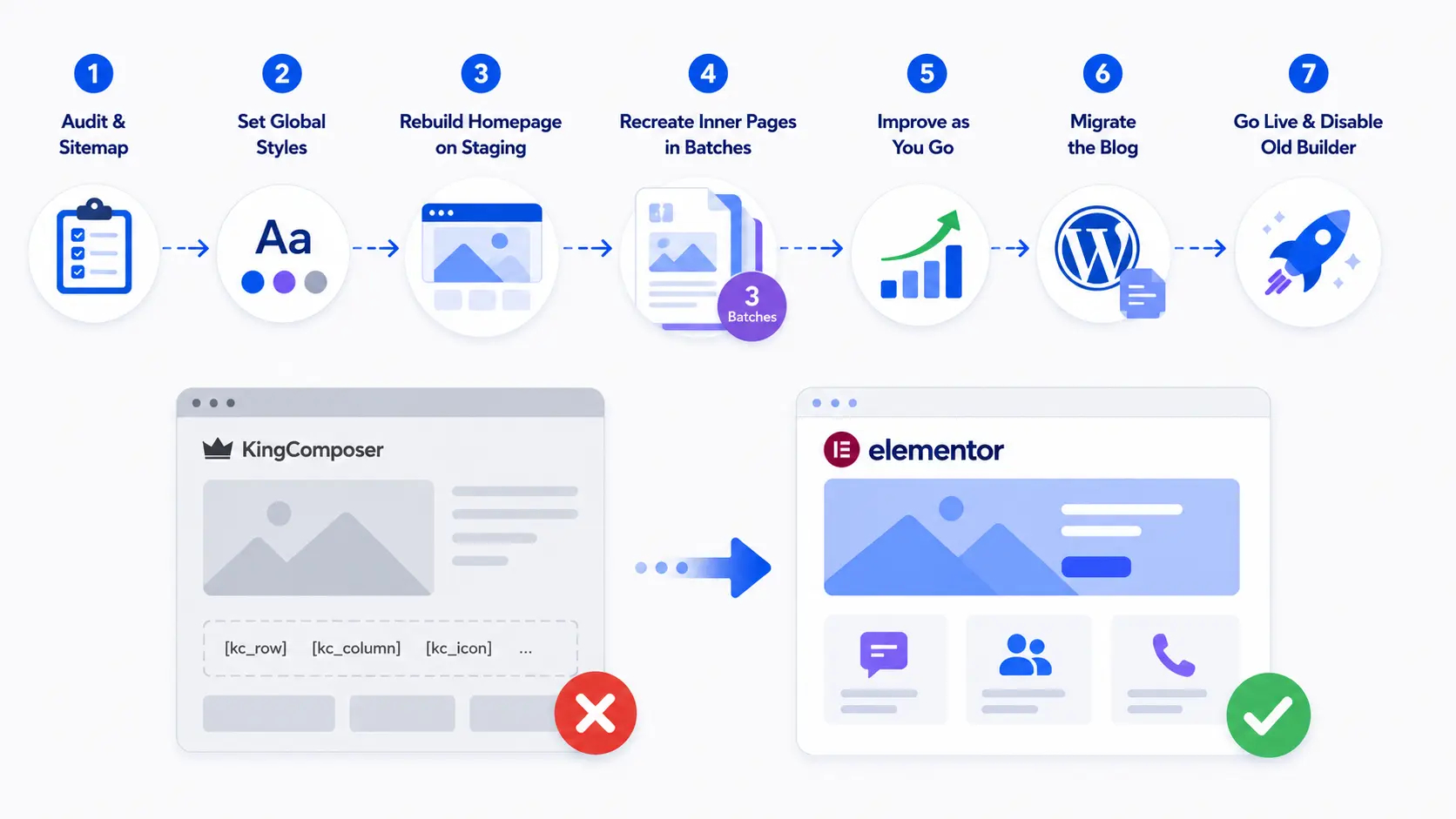
The project we completed for the Wisconsin AV and IT provider is a useful blueprint. The site had approximately 47 inner pages plus a homepage, all built on KingComposer. The goal: rebuild everything in Elementor, matching the existing look and feel, without taking the live site down at any point. It was completed working with a Dedicated WordPress Support specialist over roughly two months.
Here’s how the migration was structured:
- Audit and sitemap. Before touching anything, we inventoried every page and template the old builder was responsible for. This gives you a clear scope: nothing is overlooked, and you know exactly what needs to be rebuilt before the work begins.
- Set global styles first. Fonts, colors, spacing, and button styles were defined in Elementor’s global settings before a single page was rebuilt. This ensures that as pages are recreated in batches, they stay visually consistent. Without this step, the site can drift — subtle differences that accumulate into a look that feels “off” compared to the original.
- Rebuild on staging, starting with the homepage. All rebuild work happened on a staging environment, leaving the live site untouched throughout the process. The homepage was rebuilt first and reviewed before any inner pages were touched. If something was wrong with the approach, it was better to find it at the homepage stage than after 30 pages.
- Recreate inner pages in batches. The inner pages were rebuilt across three client-review batches, with staging previews shared at each stage. The live site kept running on KingComposer the entire time. Clients could review and approve each batch before work on the next began.
- Improve as you go. A page-by-page rebuild is a good opportunity to fix small issues that have accumulated over time. In this project, we standardized every page onto a single, consistent contact form during the migration, which is something that would have been a separate project otherwise. Minor improvements like this add real value without significantly extending the timeline.
- Migrate the blog. Blog content required a separate pass: exporting, importing, and cleaning up content to ensure no posts were still dependent on KingComposer markup. This is a step that’s easy to overlook if you’re only thinking about service and landing pages.
- Go live, then disable the old builder. Only once every page had been rebuilt, reviewed, and approved on staging did we push the changes live. KingComposer was disabled only after the live site was confirmed to be running entirely on Elementor, followed by final QA across the site.
The result: all pages rebuilt to match the original design, contact forms standardized sitewide, the old abandoned builder fully removed, and the site future-proofed against the compatibility and security risks it had been silently carrying. The live site never went down.
Is Your Site at Risk? A 5-Minute Check
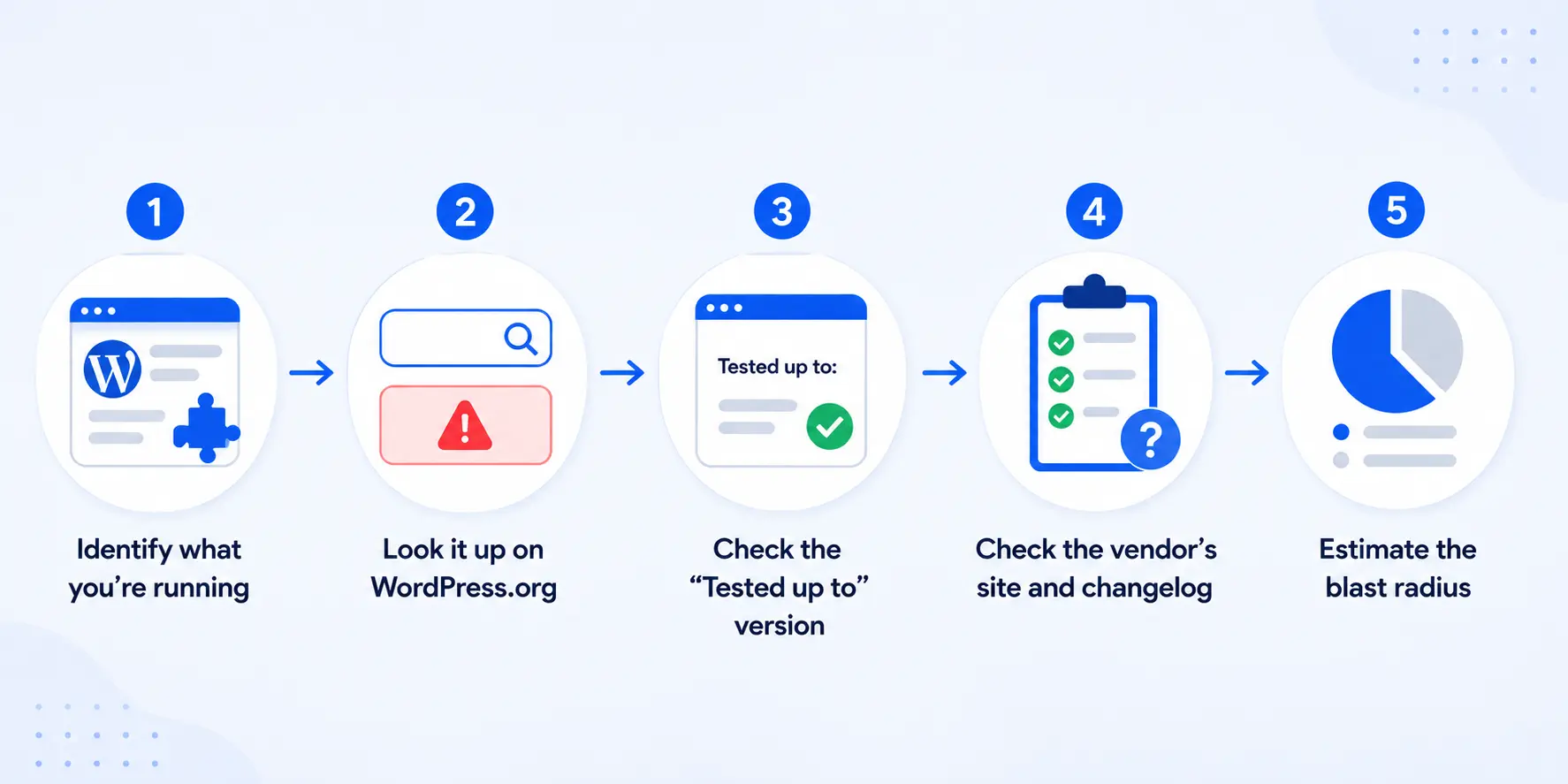
If you’re not sure whether your page builder is still supported, here’s how to find out quickly:
- Identify what you’re running. Log in to WordPress, go to Plugins, and find your page builder. If you can’t identify it or aren’t sure what you’re looking at, a developer can help confirm it.
- Look it up on WordPress.org. Search the plugin directory. A “This plugin has been closed” notice is a definitive answer. If there’s no notice but the plugin’s “last updated” was more than two years ago, that’s a serious warning sign that support may be declining.
- Check the “Tested up to” version. If the plugin was last tested against a WordPress version that’s several major releases behind the current one, the compatibility risk is real and growing.
- Check the vendor’s own site and changelog. Is there an active company behind this? Recent release notes? A support forum with responses? The absence of these signals is often a sign that support has slowed or stopped.
- Estimate the blast radius. How many pages use this builder? A handful of landing pages is a much smaller challenge than a site where every page depends on the builder.
If any of these raise a red flag, the right move is to plan the migration on your timeline, before a WordPress core update or a newly discovered vulnerability forces an urgent migration.
The Bottom Line on How to Handle a WordPress Page Builder That’s No Longer Supported
Abandoned page builders fail quietly, then suddenly. The gap between “everything looks fine” and “half the site is broken after an update” can close fast. And when it does, you’re scrambling rather than planning.
The good news: migrating away from a discontinued builder isn’t a rebuild-from-scratch nightmare. Done right, it’s methodical, batch-by-batch work on staging, with the live site running throughout. A ~50-page site can be fully migrated in roughly two months without a single hour of downtime.
If your site is stuck on an outdated or abandoned WordPress page builder, Pronto’s Website Support team can assess what you’re running, scope the migration, and handle the rebuild so you’re not left managing it alone or waiting for something to break first.
Consult with one of our WordPress consultants to figure out what’s the best way to upgrade your website.